Mephana

Date

November 12, 2026

Length

7 min read

Small Language Models in Practice with Murmur

Author

Ian van Eenennaam

Introduction

What becomes practical when a compact AI model can handle both language and speech on a personal computer? The possibilities reach into everyday work: talking through an uncertain task, shaping an idea into a message, or asking a follow-up question without returning to the keyboard.

I built Murmur to explore that question. It brings local models into a conversational application where someone can type, record a message, or start a hands-free exchange. The project offers a way to examine how increasingly capable small language models could fit into familiar activities, and what still needs attention before those activities become dependable applications.

key takeaways

01

Compact models are gaining broader capabilities.

Language and speech can share a model small enough to run on a personal computer.

02

Focused conversations suggest useful applications.

Planning, drafting, rehearsal, and learning provide concrete scenarios to investigate.

03

Practical usefulness needs evaluation.

Response quality, hardware, waiting time, and interaction design all influence whether an application helps.

What small models make possible

Small language models, or SLMs, bring the resource requirements of language processing within reach of more devices. Their growing range of capabilities also changes the applications worth considering. A model that can interpret speech and generate text can participate in a spoken exchange while keeping a readable record of the conversation.

Liquid AI’s LFM3-Omni-2B illustrates this direction. Its publisher describes approximately 2.2 billion parameters supporting text, images, video, and audio as inputs, with text and speech outputs. Those are capabilities of the model; exposing them in a usable application depends on the software around it. Liquid AI model documentation

For this exploration, I concentrated on conversation and transcription. That narrower focus makes the question concrete: can a compact model support a useful exchange on the computer where someone is already working? It also makes shortcomings easier to examine, from a misunderstood phrase to a reply that ignores a requested format.

A working exploration with Murmur

Murmur uses Ollama to run installed models. The selected LFM3 Omni model handles both transcription and conversation, while Phonon turns the answer into speech. Text appears as it is generated, and spoken replies can begin as phrases become available. Users can read the response, hear it, or replay it.

The application supports manual recording and an explicitly started hands-free session. Local detectors help identify speech and assess when a turn is finished. The current voice exploration focuses on English and retains a visible transcription step.

The same SAPUI5 interface runs in a browser and a locally packaged Electron application for Apple-silicon Macs. The desktop version packages the application runtime and manages its backend; Ollama and its inference models remain separate installations. That makes the experiment accessible as an application while keeping model selection explicit.

Four scenarios worth exploring

The implemented conversation controls provide a foundation for four uses worth evaluating with representative tasks.

Thinking through a task

Consider preparing a workshop when the goal is clear but the sequence of work is still uncertain. Someone could describe the audience, available time, and desired outcome, then ask for a short preparation plan. A follow-up might add a constraint: the participants have different levels of experience, or preparation must fit into one afternoon.

The model needs the relevant constraints to make useful suggestions. Describing and refining those constraints is part of the opportunity: the exchange gives someone a way to articulate what matters and examine possible next steps before committing to a plan.
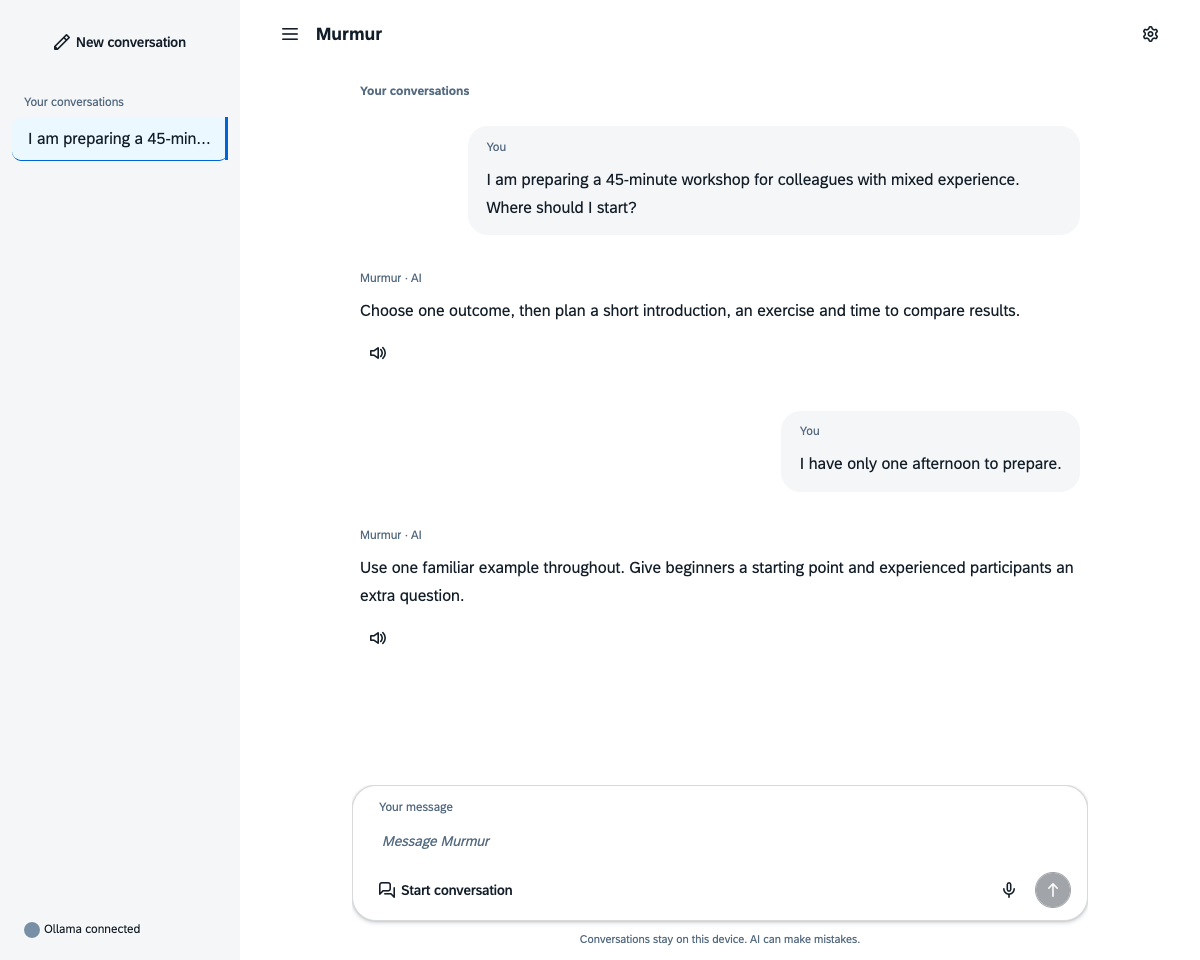
Murmur conversation helping outline a workshop with a clear outcome, an exercise and time to compare results.
Thinking through a task in Murmur’s full interface, using scripted sample dialogue.

Shaping a spoken draft

A rough message often begins as several loosely connected thoughts. Someone could record a short explanation of a delayed project, then ask for a concise update covering the cause, impact, and next action. The visible transcript gives them a chance to spot a misunderstood name or date and correct it in a follow-up.

This suggests a useful bridge between speaking and writing. The draft remains in the conversation for the user to review for accuracy and tone, refine, and reuse.
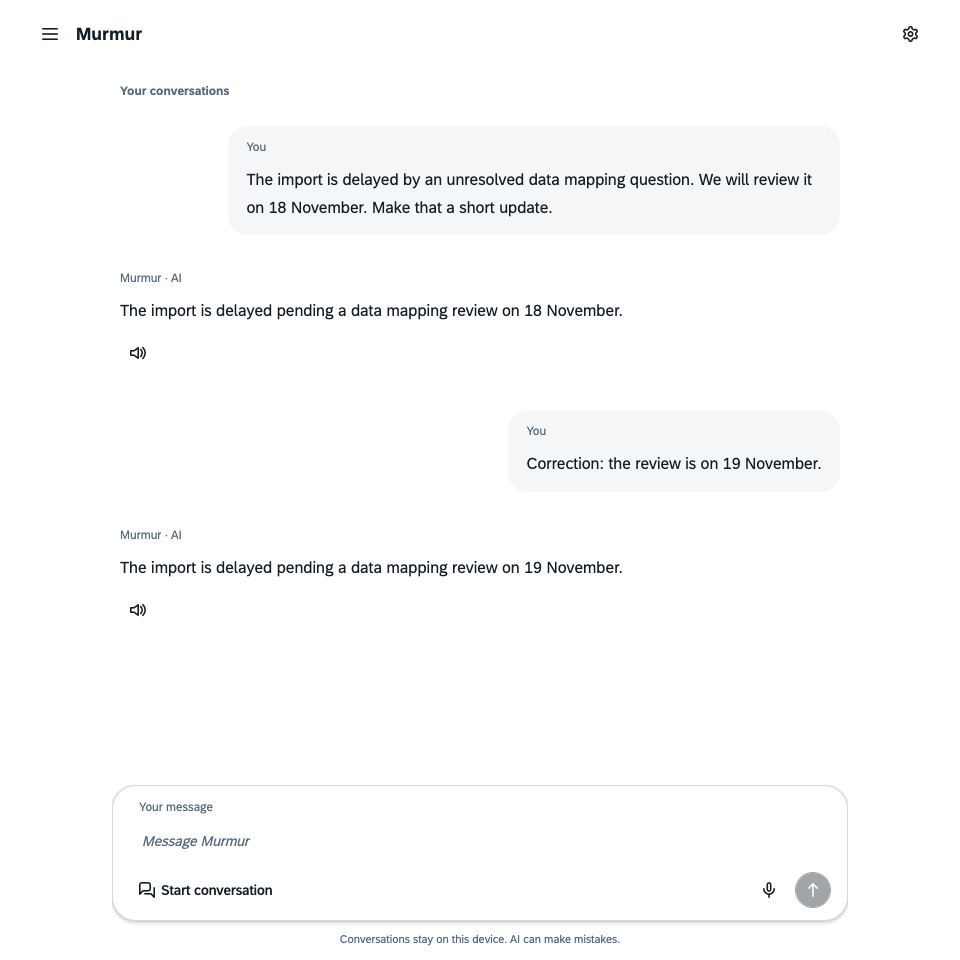
Murmur showing a project-delay draft and a follow-up correcting the review date to 19 November.
A spoken-draft scenario with simulated recording, supplied transcription, and scripted replies.

Rehearsing an explanation

A developer preparing to explain a technical proposal could practise a short introduction, ask which terms need clarification, and request a simpler version for a colleague. Hearing an alternative aloud may help them decide whether it sounds natural for their audience.

The relevant capability is the combination of transcription, follow-up dialogue, and spoken output. This scenario concerns the content and wording of an explanation; pronunciation or delivery assessment would need additional capabilities and testing. The practical aim is to arrive at an explanation the speaker is comfortable using.
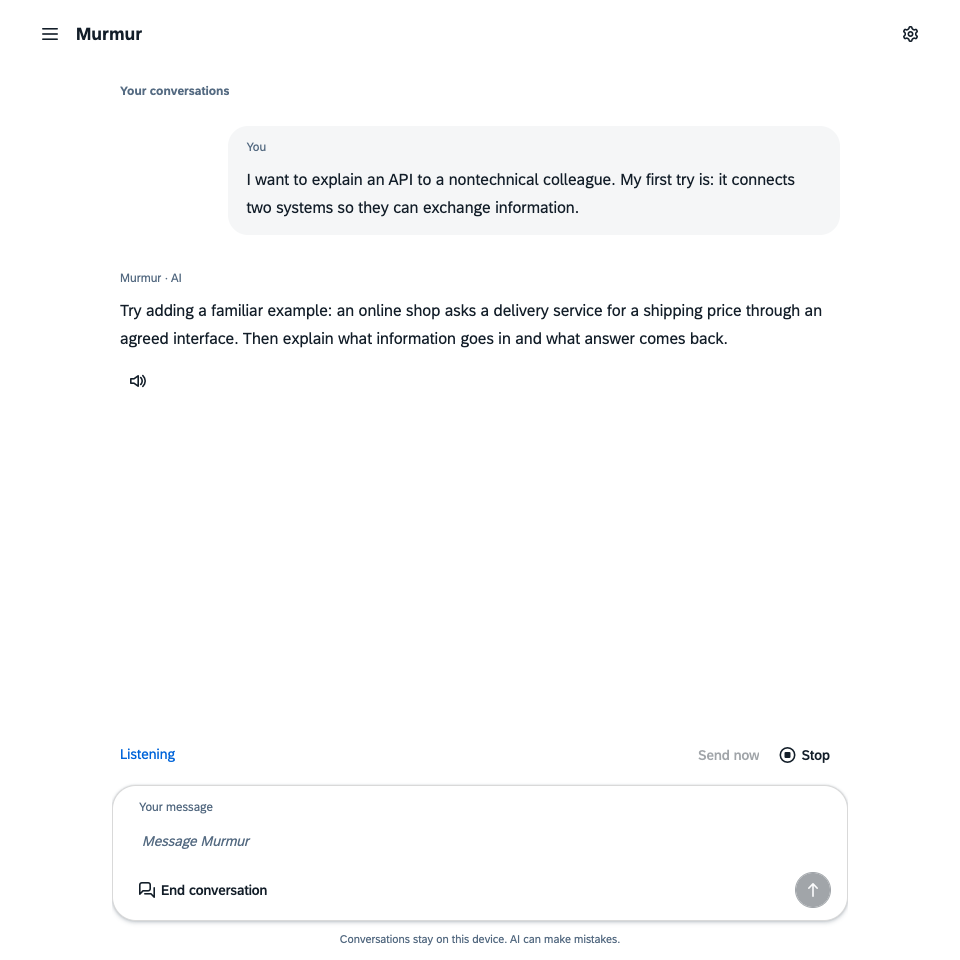
Murmur presenting an API explanation example while displaying Listening, Stop and End conversation.
An explanation-rehearsal scenario with scripted dialogue and simulated listening input. Stop and End conversation remain visible.

Exploring a concept

Someone reading about an unfamiliar topic could ask for an explanation, request a concrete example, and then ask how that example changes under a different assumption. In a spoken exchange, they can interrupt a reply to clarify a term before continuing.

This makes conversational learning a promising area to explore, especially for short questions that build on one another. Factual reliability remains central. Murmur has no integrated web research or source-verification workflow, so important explanations need checking against reliable material.
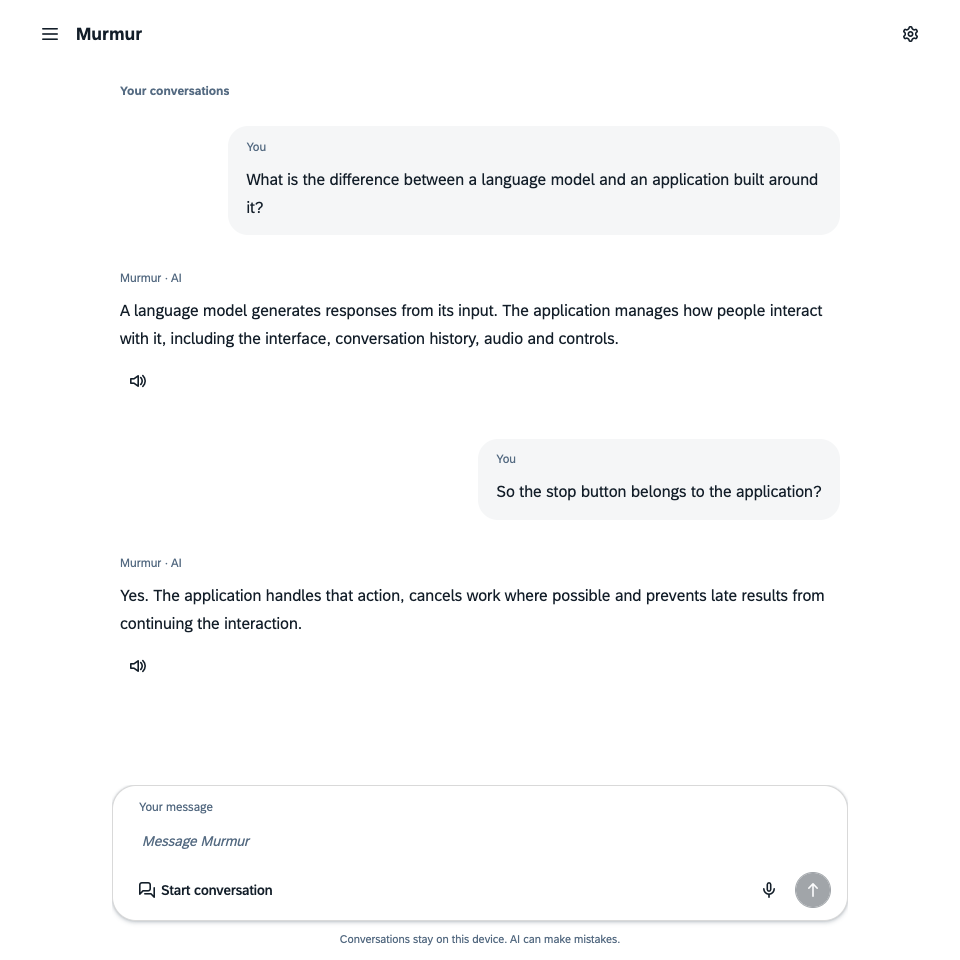
A two-turn Murmur conversation distinguishing a language model from application controls such as Stop.
Exploring a concept through follow-up questions. This is scripted sample dialogue rendered by Murmur’s real interface.

What the experiments revealed

Local experiments on 2 November 2026 used an eight-core Apple M3 with 16 GiB of memory and Ollama 0.40.13. The measurements describe that hardware and software configuration.

One practical finding concerned quantization: representing model weights with reduced numerical precision. After conversational warm-up, Ollama reported approximately 3.09 GB of model allocation for the MXFP8 variant and 2.41 GB for NVFP4, about 22% less. These figures describe the reported model allocation; the application, operating system, and separate speech model also consume memory.

The lower-memory variant did not demonstrate a consistent speed advantage. An apparent improvement in the first comparison failed to reproduce in a follow-up run. Both variants passed a small set of answer-content checks, while sometimes adding words despite instructions to return only a name or number. That is encouraging evidence for further exploration, with a clear reason to test each intended task.

Reusing the same model for transcription and conversation also avoided the model switches observed in an earlier experiment. Keeping a model resident helped reduce loading overhead in those runs. Cold starts and the remaining processing stages still mattered.

Response delays still varied enough to affect conversational flow. In a separate check of the application pipeline, three turns took approximately 19, eight, and five seconds from the end of detected speech to playback starting. The check used synthetic audio on a busy computer with output muted; physical microphone behaviour and audible quality still need device testing. For the proposed scenarios, the patience a task allows is an important design consideration.

Making the conversation usable

A spoken thought may continue after a pause. Someone may also change direction halfway through an answer. Murmur distinguishes continuing a turn before a response becomes audible from interrupting a reply already playing. For later model context, an interrupted voice reply contributes only fully played speech chunks, keeping the exchange closer to what the person heard.

Readable text, Replay, and immediate stopping give the user ways to inspect and control the interaction. Conversations are temporary by default. Remembering text and preferences is optional; audio and unsent drafts are not saved.

Processing defaults to the same computer, with application resources available locally after initial setup downloads. Users can explicitly accept an Ollama server on a private LAN or VPN. That choice sends conversation data and recordings for transcription to the selected server. Keeping this distinction visible helps people choose an arrangement appropriate to their work.

Choosing a useful role for small models

Murmur makes a practical direction visible: compact models can supply several capabilities needed for focused conversational tools on a personal computer. The scenarios above offer manageable starting points for evaluating whether those capabilities help with real work.

The next step is to test representative tasks, including corrections, ambiguous requests, and unsuccessful answers. Some workflows may suit a small local model; others may need stronger models, trusted information sources, or additional application controls.

For me, the opportunity is to match increasingly capable SLMs to activities where their particular strengths are useful. If you are considering a workflow where local conversation, speech, or focused AI assistance could help, let’s discuss what would be worth exploring.

Let’s talk

Have a project in mind?

Share the challenge and what a useful outcome would look like.

Newsletter

Get the Next Issue

Practical ideas and technical experiments by Ian van Eenennaam.

Subscription Form